

 Home
HomeThe key features of Motorola Xoom 2:
10 percent lighter, 33 percent thinner and improved HD 10.1-inch screen
Stream PC files to your tablet with MotoCast™
1.2 GHz dual-core processor boosts speed by 20 percent
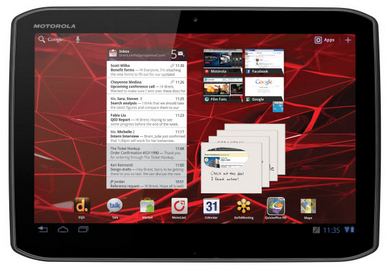
As far as I know, Motorola Xoom 2 was released not long ago, but it does not mean that there are few Motorola Xoom 2 users. In fact, many Xoom series fans are hurry to buy this new version Xoom product. Have you met some problems that remain to be solved?
If you want to enjoy Blu-ray movies on Xoom 2, what would you do to make it possible to play Blu-ray movies on Xoom 2? Maybe you can try Pavtube Blu-ray Ripper for Mac to rip Blu-ray movies for Xoom 2 playing on Mac. It is really a great and useful Blu-ray to Xoom 2 Mac ripper which converts Blu-ray to Xoom 2 compatible videos.
To Mac rip Blu-ray movies to Xoom 2, you need choose output format for your Blu-ray movies. Pavtube Mac Blu-ray to Xoom 2 video converter offers many video formats for you to choose from. Here I recommend MP4 format as the most compatible video format for playing on Xoom 2. The program provides three special output MP4 videos for Xoom 2. They are 1080p HD video, 720p HD video and H.264 video.
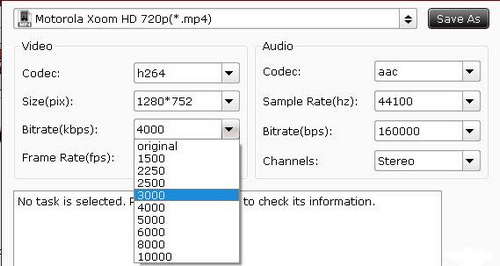
Some people would be hesitated in which to choose for Xoom 2 playing. As 1080p HD video is encoded with HD video codec and large file size, the file size of output video may be large than 5GB. For this kind of video, Xoom 2 can not recognize and play it. Certainly, the file size of 720p HD video can be smaller than 4GB, perhaps close to 4GB. If your free storage place is not enough, you need adjust the video size for output videos.
Click the settings button and change the video Bitrate from 4000 to 3000 or smaller one. With this step, you can get 720p HD videos in small file size with good video quality.
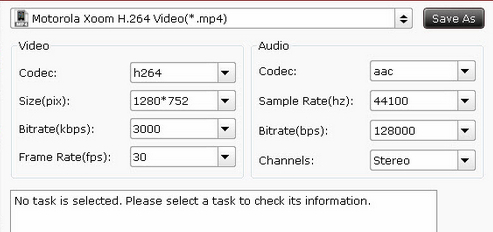
In fact, H.264 video format is also compatible for playing on Xoom 2 with small file size and rather good video quality. The default settings are suitable for output videos. You needn’t change any settings before starting the conversion from Blu-ray to Xoom 2 MP4 videos. Below are H.264 video settings.
 Free Trial Blu-ray Ripper for Mac

Useful Tips
- How can I Play Flash Video (FLV, F4V) on Kindle Fire HD?
- Connect Kindle Fire HD to Computer (Windows/Mac) for Files Transfer
- Enable Surface RT & Pro Tablet to Play MKV/AVI/MPG/TiVo/VOB Files Effortlessly
- How to Play VOB on Kindle Fire without any Hassle ?
- Enable Microsoft Surface RT/Pro Tablet to Play Flash FLV/F4V Videos
- Samsung Galaxy Tab AVI – put and play AVI on Galaxy Tab




