Rip DVD and Blu-ray movie directly from discs
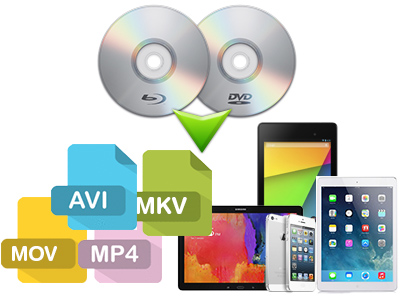
Pavtube Blu-Ray Ripper for Mac could directly rip DVDs, Blu-Ray discs, even the protected ones, to other audio and video formats without the assist of other software. When you select Directly Copy as output option, the ripper will extract M2TS file from Blu-ray disc and copy to your hard drive and meanwhile get rid of the protections
-
One-step backup for blu-ray and DVD movie
The Disk Copy option allows you to backup entire Blu-ray disc and DVD to Mac hard drive, including video/ audio streams, commentary, menus, titles, ads etc. One click “Disk Copy” remains the original Blu-ray file structure for Blu-ray burning or PS3 accessing .
Output to almost all popular mobile devices and editing software
Convert Blu-Ray disc and general DVD to multimedia devices: Apple TV, iPad, iPhone 4, iPod, GPhone, PSP\PS3, XBox 360, Motorola Droid, HTC Hero, HTC Magic, HTC Evo, Google Nexus One, Samsung Fasinate etc and video editing software: iMovie, FCP, FCE, FCS, Adobe Premiere Pro, Avid etc.
Super high ripping speed
Its advanced coding technology quickens the conversion speed. With Pavtube Blu-Ray Ripper, you can convert DVD and Blu-Ray movie 1.5 or 2 times faster than other similar tools.
Wonderful Audio-video sync quality
The updated audio-video sync technology enables you to have a high quality output video without any audio/video out of sync problems.
Tracks of multi-languages and subtitles are available
The ripper supports Dolby TrueHD/ DTS-MA encoded audio, this enables you to select any of the tracks in the source Blu-ray disc, no matter your mother tongue or other foreign languages. And you can choose subtitles of different languages freely.
Edit DVD and Blu-Ray movie clips
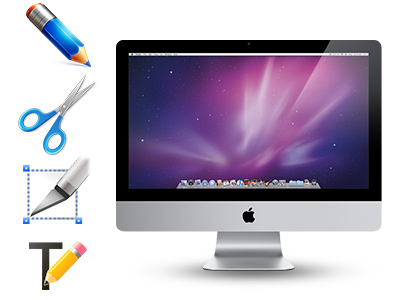
This program is has powerful editing functions, such as: trimming and cropping video area, adding watermark, adjusting special effect, replacing audio, deinterlacing etc.
Capture images when preview
A preview window is inlaid for you to preview the source files and take snapshots before converting.
Merging and splitting function
It can rip DVD and Blu-Ray movies into multiple chapters. You can decide which parts of the movie to rip into individual video segments and which chapters to be merged into one file.
- 1G Hz or above Intel processor.
- Mac OS X (including Mac OS X 10.5 Leopard and v10.6 Snow Leopard ) on iMac, MacBook, Mac Pro, etc.
- 512 MB physical RAM (memory) or more.
- 1024*768 or higher resolution display.
- Optical Drive: DVD-ROM (BD-ROM is required for ripping blu-ray disc)
Input files |
DVDs, Blu-Ray discs Blu-ray folder, DVD folder, DVD image file |
|
|---|---|---|
Output files |
Video | Common video formats |
| Audio | iTunes supported audio formats(*.mp3, *.m4a, *.aac, *.flac ), iPhone Ringtone audio (*.m4r), Matroska Audio(*.mka), Ogg Vorbis Audio (*.ogg), Windows Media Audio (*.wma, *.wav), Dolby Digital 5.1 audio (*.ac3), DTS (*.dts remux) | |
DANIEL ALVARADO |
Download blu-ray movies to Android phonesI recently downloaded the free trial version of Pavtube Blu-ray Ripper and it is a very, very good product, I’m sure that I’m going to buy it and recommend the product to a lot of friends and my family. I download movies to my phone (Android HTC Hero)... Thanks!!! This is a very good product, congratulation guys!!!! 20, July, 2010 |
Andrew C. Palenscar |
Excellent blu-ray to MKV conversionExcellent Product. Rip BluRay to MKV in orig size and frame rate with both good (6.6g) and excellent (11g) quality… The output plays back perfectly on my PC and my TVIX 6500. Strangely enough it is choppy on my TVIX 4100. I thought it might be bandwidth. Ideas? Again, great product. I’m not complaining. Just trying to solve a minor playback glitch. 19, July, 2010 |
Jeff Leach |
Creates Spellblinding iPhone 4 videosI used Blu-Ray Ripper to convert Avatar to the new iPhone 4 at 720P and the picture quality is spellbinding. Everyone that has seen it says "Good God". One other thing, I have the Samsung SP-H03 micro projector. It runs the Avatar iPhone4 movies in 720P from a microSD card in the unit and that is pure eye candy. I tell you this so you know that you can master movies for this unit and use the iPhone 4 format. 4, July, 2010 |
Alex Paredes |
Satisfying conversion qualityI was pretty satisfied to find a mac blu-ray ripper. The quality of the conversion was very satisfying. The compressed video still gave the high definition quality as the Blu-Ray video. 6, Apr, 2010 |
Adrian |
Backs up blu-rays as expectedThe Pavtube Bluray ripper performs exactly as I expected and with a backup of our precious Blu-rays - means we won’t have our discs scratched when they are borrowed. I tested your software out briefly before purchase and found it was simple enough for me to use to make me happy to use it more. Jan, 2010 |
Jim |
Rips DVDs without hassleI just wanted to tell you that I love this program! I haven't tried a Blu Ray Disc yet (need a drive) but I am very pleased with the speed and quality of the DVD function. I was using other programs that would do the job, but took too long. With Blu Ray ripper, I am able to easily rip my DVD's without any hassle. Jan, 2010 |
- Q: My widescreen movies (16x9) aren't staying widescreen after conversion. I don't want the video to be stretched and made taller. What can I do?
A: Simply click ‘Settings’ button and set the Video Size to 1920*1080 or 1280*720 before converting the movie.
- Q: How to play the ripped Blu-ray M2TS files after I choose “Directly Copy” format and get M2TS file?
A: VLC player and KMplayer can play M2TS file.
- Q: Can I copy the whole DVD into a Video_TS folder? Which profile should I choose?
A: One click on the Disk Copy button is all you need to copy the DVD into standard Video_TS folder. The entire content on the DVD will be copied to your hard drive in the shortest time with this option.
- Q: I am trying to backup my blu-ray disc to hard drive. What format should I choose to maintain best quality?
A: You are suggested to try Disk Copy button. It enables you to back up the disc bit-to-bit with shortest time and flawless quality.
- Q: Does the software handle HD Audio such as DTS MA, or Dolby True HD Dolby? Is there any way to create TrueHD and DTS MA?
A: Our product just allows you to import the true HD and DTS MA audio, but outputs up to AAC/ AC3 5.1 Channels surround sound only.
- Q: I have just downloaded the new update for the software, do I need to uninstall my older version prior installing the new one or I just install the new application on top of the old one. Please advice.
A: You are encouraged to uninstall the older version in the first place. However, you might also install the new update on top of the older version.
- Q: I have purchased the software but it won't take the code I have. What should I do?
A: Please remove the trial version and then download the retail version from your registration download link. Install the retail version, copy and paste your registration code to the register field. Notice that you should not leave any space before the code.
- Q: How can I set the output file name?
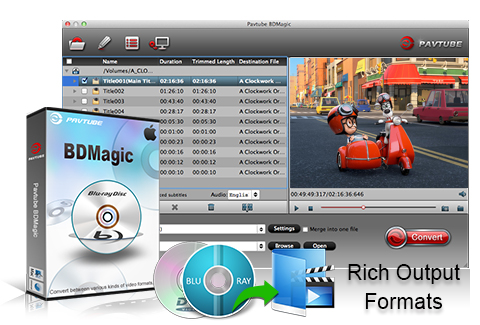
A: Please find the column named ‘Destination File’ on file list. Double click the output name and then you can type in desired output file name.
- Q: I’d like to eliminate black bars (edges) from the movie, what should I do?
A: Click ‘Edit’ button to enter into the edit panel and switch to the Crop tab, then just drag the dashed frame on the video screen of the original preview window to cut off the unwanted parts to get the right aspect ratio you need.
- Q: A disk I was testing had over 100 files in the folder and it was a pain to just select the two files I wanted. Is there any way for me to uncheck all the files that are pre-selected?
A: Right-click on file list area to select “Check all” and “Uncheck all”.
- Q: I am trying to capture a still picture from a video clip to use as a song background. Is it possible?
A: Yes. You can double-click the file and preview it with the app, under the preview window there is a ‘Snapshoot’ button. Click the button when it plays to the frame you would like to capture. And you can locate the thumbnails by clicking the ‘Open’ button next to ‘Snapshoot’ button.
- Q:Does the app work with PowerPC?
A: NO.Only Intel Processor is supported.
- How to use Pavtube Blu-ray Ripper for Mac?
- How to make blu-ray backup in the fastest way on Mac?
- How to rip Blu-ray movie to Mac OS X?
- How to play Blu-ray disc with MPlayer on Mac OS?
- How to rip Blu-ray movie to DVD on Mac?
- How to rip Blu-ray movie to PS3 on mac?
- How to convert Blu-Ray disc to MKV, HD MKV for Mac?
- How to rip Blu-ray movie to DivX on mac?
- How to rip Blu-ray movie to Xvid on mac?
- How to rip Blu-ray movie for playback and edit on mac?
- How to rip Blu-ray movies to PSP playable format on Mac?
- How to turn Blu-ray movie into car video?
- How to rip Blu-ray and DVD movies to iPhone 4G HD video on Mac?
- How to play Blu-ray movies on HTC Desire, HTC Hero, and HTC Magic?
- How to compress Blu-ray disc to HTC Evo 4G?
- How to get English subtitle and audio track when ripping Blu-ray on Mac?
- How to convert Blu-ray and DVD movies to QuickTime Player compatible format on Mac?
- How to convert Blu-rays and DVDs to Motorola Droid with the best settings on Mac?
- How to get Blu-ray MKV video with AC3 5.1 sound for WDTV?
- How to play Blu-ray movie with QuickTime Player on mac?
- How to import Blu-ray disc to Apple TV for enjoy on wide screen TV?
- How to rip Blu-ray Disc with DTS-HD Master Audio on Mac?
-
Date: July 19, 2010 (v2.6.2.1700)
- Added optimized formats for Android smart phones such as Motorola Droid, Google Nexus One, HTC Droid, Samsung Fascinate, etc.
- Added Force Subtitle option.
- Fixed for crash issue and some other bugs.
-
Date: Jun 28, 2010 (v2.6.*.1622)
- Added support to iPhone 4.
- Reinforced audio and video synchronization.
- Fixed for some bugs.
-
Date: Jun 3, 2010 (v2.6.*.1588)
- Added support to Avatar blu-ray movie of all regions.
- Added the progress bar of Decrypt Blu-ray disc.
- Fixed some bugs.
-
Date: May 25, 2010 (v2.6.*.1569)
- Added full support to the Avatar blu-ray discs of region A.
-
Date: May 5, 2010 (v2.6.*.1528)
- Fixed for the out of sync issue when merging multiple trimmed files together.
- Check All button and Uncheck All button are added for users to select desired chapters more conveniently.
-
Date: Apr 16, 2010 (v2.6.*.1498)
- Added the Title Mode for view Blu-ray movie and enable users to switch between File Mode and Title Mode.
- Added the option of one-click Full Disk Copy, enabling users to make 1:1 copy of Blu-ray disc and DVD.
- Added support for Blu-ray disc of MKB v17.
- Improved the loading speed of Blu-ray disc/ folder.
- Added customized output formats for iPad.
- Refined the GUI to be more user-friendly, and apply Deinterlacing facility by default.
-
Date: Mar 12, 2010 (v2.5)
- Improved stability of the software and image quality of output video.
-
Date: Mar 1, 2010 (v2.5)
- Added the option of automatic shutdown.
- Upgraded to support wider range of Blu-ray discs and fixed for fuzzy images.
- Enabled users to switch to different subtitles and audio tracks during previewing.
-
Date: Feb 7, 2010 (v2.5)
– Added support to identify detailed information of audio streams, including languages, codecs, stream ids and channels.
- Added subtitle support to Blu-ray disc ripping, which enables users to select subtitle for converted files. -
Date: Dec 31, 2009 (v2.3)
- Added support for Dolby TrueHD audio codec.
- Further optimized the performance of audio video synchronization.
- Added new profiles and allows the users to customize and save profile settings.
- Made watermark function easier to use.
(Retail version: *=2; Trial version: *=1)