

 Home
Home“Can your Blu-ray Ripper product copy ALL subtitle and audio tracks to an H.264 MKV output file?” I wrote to many providers of Blu-ray ripper software several months earlier, hoping to figure out a way to keep all BD subtitle and audio tracks into one MKV files. The result was depressing. It appeared that only one subtitle language and one audio track can be selected no matter what Blu-ray ripper I use. However, I happened to came across newly released Pavtube ByteCopy software the other day, which does the right thing I need! The software rips disks (Blu-ray Disc and DVD) with all subtitle and audio tracks and makes it possible to make perfect copies of my video library to my hard drive. I love it! And I believe you’ll love it too, as the software does more than copy BD contents in lossless way- it also allows you to shrink a 25GB BD to 10GB and meanwhile keep the original AC3/DTS 5.1 audio.
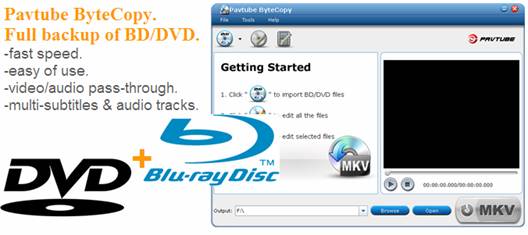
See below how to copy all Blu-ray subtitle and audio tracks to an H.264 MKV file (surely with video streams included)
Step 1. Run Pavtube ByteCopy, and click “Load Disc” button to import movie files from copy-protected Blu-ray Disc/DVD.
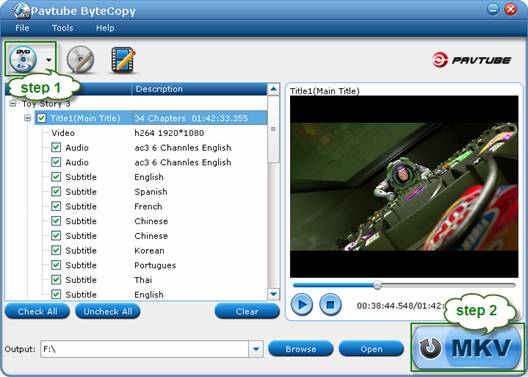
Step 2. Click the “Convert” button to start backing up Blu-ray movie to MKV files with all audio tracks and subtitle streams. Pavtube ByteCopy will extract the main movie with all subtitles and audio tracks from disc and packages the contents into MKV container without transcoding to ensure you get lossless movie clips.
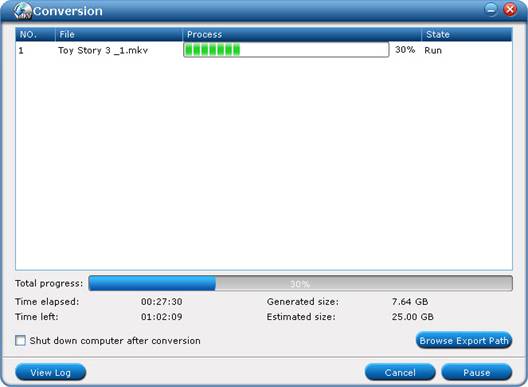
After conversion you may click “Browse Export Path” to find generated MKV file. Note that Pavtube ByteCopy backs up BD/DVD as fast as your drive can read data. If you just want to keep part of audio and subtitle, just uncheck in file list the ones you don’t want. In this way you get lossless backup of Blu-ray movie and meanwhile keep subtitles and audios you want.
Software availability:
1. Pavtube ByteCopy Trial version. A trial is free but functional-restricted. Lossless output can be used 3 times only. You may download a trial and see how it works.
2. Pavtube ByteCopy Retail version. A full version is offered at $42 only by Pavtube Studio.
 Free Trial ByteCopy

Useful Tips
- How to make full copy of blu-ray disc in fastest and easiest way?
- The best Blu-ray backup method: Blu-ray to M2TS or Blu-ray to MKV?
- Complete lossless Blu-ray to MKV backup in 2 steps
- How to Make a DVD Photo Slideshow with Transitions and Music on Mac
- How to copy Blu-ray movies to Synology DS411slim NAS Server
- Keep both English and French audio tracks for ripping Blu-ray to MKV




