

 Home
HomeMobile phone is the closest portable device in our daily life. If you want to make full use of your mobile phone besides sending messages and calls, you may need to find a fantastic 3GP converter to help you. Here we recommend you a magic tool- Pavtube Video to 3GP Converter which is an easy-to-use program for you to transfer videos to 3GP format on your mobile phone. This guide is to tell you how to achieve this goal step by step.
1.Download and install Pavtube Video to 3GP Converter, the main interface will pop up.
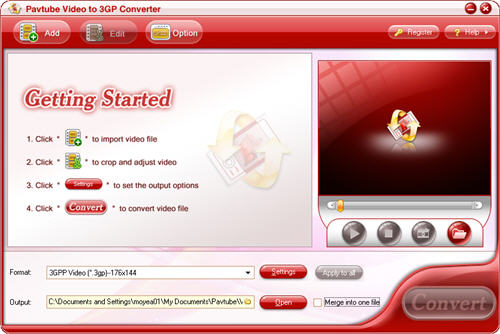
2.Load video files into the program
Click the “Add” button to import video files into this program and you will see this interface.
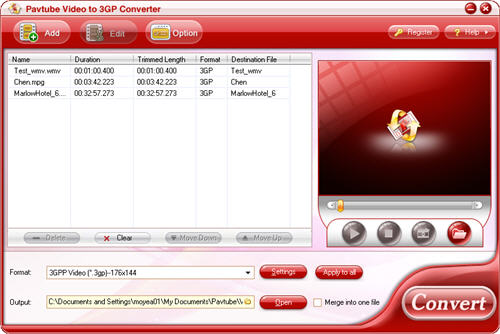
3.Set the output format, output path and merge multiple files
You can choose one format you need from the drop-down menu of “Format”. Select the output path by clicking the folder button.

If you want to combine lots of files together without any interruption, you can check the option “Merge into one file”.
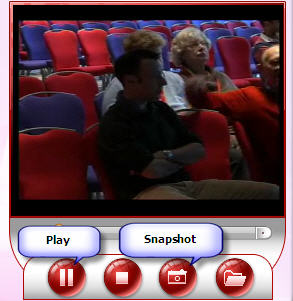
4.Take a preview and snapshot
Click the button “Play” or double click on the file name, you can take a preview of whole movie. If you want to save some images for future use or other needs, you can hit the button “Snapshot” to have a snapshot.
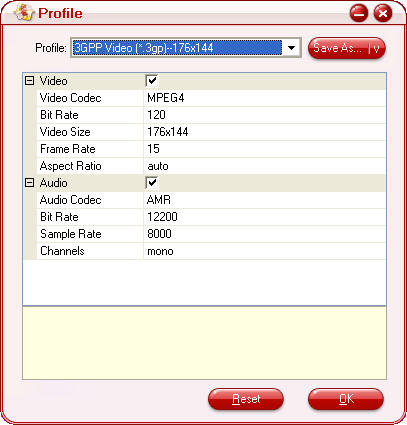
5.Change advanced settings
Click button “Settings”, if you want to change the advanced settings like video codec, bit rate, video size, frame rate, audio codec, etc.
6.Editing function
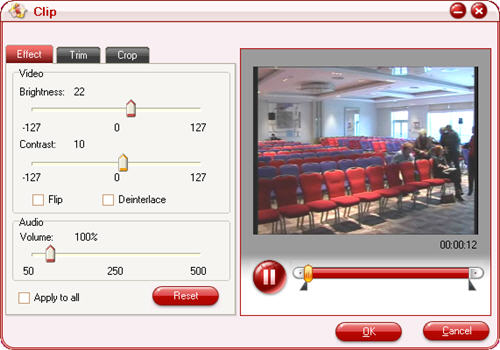
By clicking the “Edit” button, you can edit the video as you want to be. Here allows you trim and crop the video as well as adjusting the effects.
7.Convert
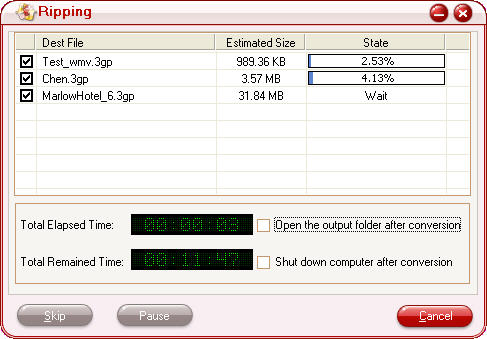
After all settings are ready, you can click “Convert” button to start conversion. And you can click “Open” button to find your converted MP4 files as soon as the encoding process is finished.
Finally, with the help of this powerful 3GP converter, you can freely import the converted files into your mobile phone.
 Free Trial Video Converter

Useful Tips
- Put and play AVI, MKV, VOB, MTS video and DVD movie on Nokia C7, N8, E7?
- How to watch blu-ray, DVD and videos on Nokia C7, N8, E7?
- Put DVD movie on Nokia E7 and transfer DVD to Nokia C7
- Rip/transfer Blu-ray/DVD to Xperia PLAY
- Transfer DVD movies to Nokia E7, Nokia N8 and Nokia C7 on Mac
- Transfer MKV, MOV, AVI to Nokia E7, Nokia N8 and Nokia C7 on Mac




