Home
HomeDVD Burning- Burn DVD ISO image to DVD
To write a DVD ISO image file to disc with Pavtube DVD Creator for Mac, proceed as follows:
1. Select “Quick Burn” from drop-down list of Quick Start menu.
-> The quick burning window pops up.
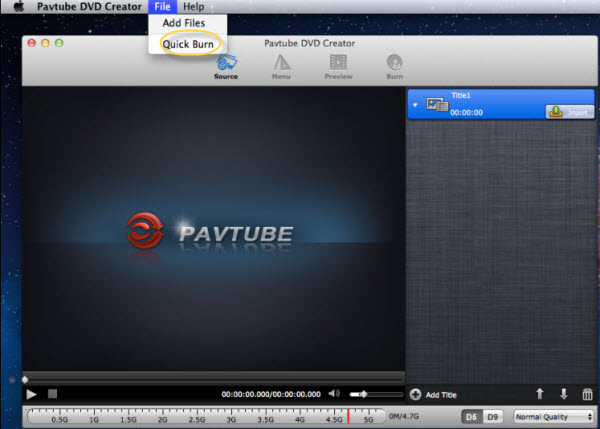
2. In the pop-up window, check “From ISO file”.
3. Browse to the source DVD ISO image file.
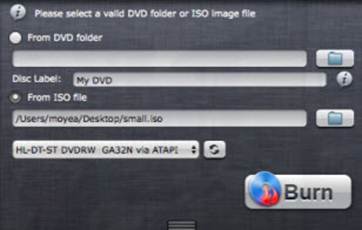
4. Press “Burn” button.
-> The software starts writing ISO image to blank DVD.
 Free Trial DVD Creator for Mac