

 Home
HomeIf you recently decided to pick up an Android-powered smart phone or tablet like the latest Samsung Galaxy Nexus. Now the problem is how to sync DVD movies to Galaxy Nexus? Certainly, you are less likely to carry DVD discs and player with you. You must think it impossible at the moment for the native supported formats by Galaxy Nexus is MP4, WMV, Xvid, DivX which is none business with DVD. But would you give up tons of DVD movies stored on your shelf?
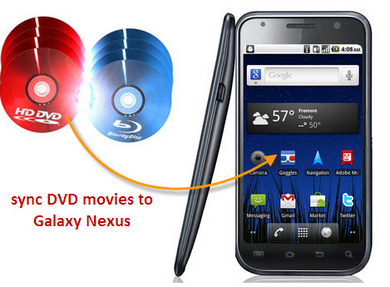
Only convert DVD to Galaxy Nexus supported formats for playing can make a difference. The best DVD to Galaxy Nexus converter on Mac helps to rip Mac DVD movies to Galaxy Nexus for playback with ease. Besides, Pavtube DVD Ripper for Mac allows you to select your preferred subtitles. Below is the detailed guide, please read it with several minutes. Run DVD to Galaxy Nexus Mac ripper to help you rip DVD movies to Galaxy Nexus on Mac and play DVD movies on Galaxy Nexus.
Step 1: Import DVD resource to the best DVD to Galaxy Nexus Mac ripper.
Click the “DVD ROM” button to add DVD movies to the best Mac DVD to Galaxy Nexus converter. Certainly, before importing, you need connect an external drive to your Mac for reading and importing DVD movies from DVD disc.
Step 2: Select an output format for Samsung Galaxy Nexus and set the output folder.
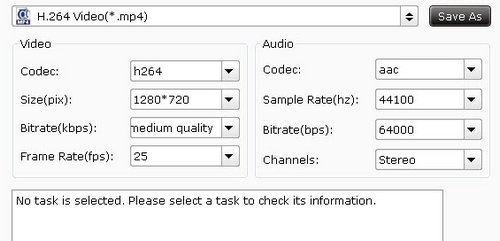
Click on the format button and then move your pointer to “Common Video”. Under the sublist, you can find the WMV (WMV9) (*.wmv), H.264 Video (*.mp4), MPEG-4 Movie (*.mp4), DivX AVI-Audio Video Interleaved (DivX) (*.avi), etc which are all compatible with Galaxy Nexus. Here we choose “H.264 Video (*.mp4)”as the output format.
Step 3: Click “Settings” icon to adjust audio and video parameters before converting/ripping DVD to Galaxy Nexus on Mac.
Click the “Settings” icon and you will go into a new interface named “Profile Settings”. You can adjust the video size to 1280*720 or 1280*800, frame rate at 25; make sure the audio codec is aac, and set the stereo as the audio channel to have perfect playback effect. Please remember the higher bitrate, the larger file size while the better video quality. And a single file to play on the Android should be under 4 GB.
Step 4: Click the convert button to start converting DVD movies to Galaxy Nexus on Mac and then with the help of a USB cable, you can transport converted videos to Galaxy Nexus for smooth playing.
 Free Trial DVD Ripper for Mac





