DVD Ripper for Mac

DVD Ripper for Mac,Mac DVD Converter,rip DVD for Mac,DVD Ripper,rip DVD - - for Mac

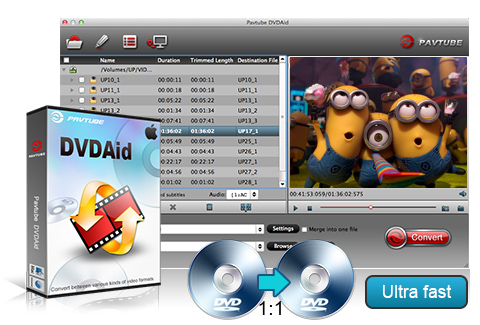
Pavtube DVD Ripper for Mac is designed for Mac users to edit and rip DVDs to almost all other popular video and audio formats including MP4, 3GP, AVI, MPG, MPEG-4, FLV, MOV, 3G2, VOB, MP3, FLAC, MKA, OGG, WAV, AC3, M4A to be played on iPhone 4, iPhone 3G, iPad, iPad 3G, iPod, Apple TV, Xbox, PS3, PSP, Archos, Zune, and edit in iMovie, Final Cut Pro, Final Cut Express, Adobe Premiere etc. It features simple but powerful editing facilities for you to trim, crop, watermark movie clips and extract audio for collection.

  • Rip DVDs fast and smoothly on Mac with high quality.
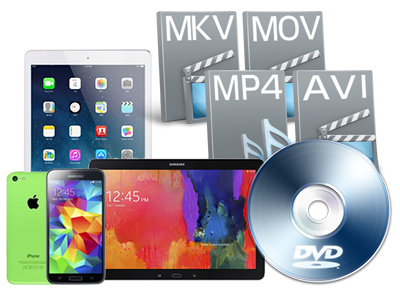
  • Transfer the DVD videos to watch on popular mobile players.
  • Trim, crop, merge videos, add text, image and video watermarks.
  • Backup, rip, convert and edit DVD movies and music on Mac.
  • Enjoy the wonderful audio-video sync output quality.

Please select the product you like from the following:

Windows Version
Windows Version:
Mac Version
 Price: $35.00
 Size  : 10.0 MB  Version : 2.6
    Key Features
  • Streamlined intuitive interface bring you an enjoyable experience

    Its streamlined intuitive interface care about your need, you will have no problem to find any options.

  • Support to edit and rip all DVDs

    The program can edit and rip DVDs to other video and audio formats you want for backup or sharing.

  • Easy import DVD ways

    You can import your DVD files by two formats: import IFO or DVD folder, all are just to cater for your desire.

  • Faster conversion speed

    Its advanced coding technology optimized the conversion speed. With this Mac DVD Ripper, you can convert DVD 1.5 or 2 times faster than other similar tools.

  • Trim DVD clips

    You can get any video length you want with trim function, just drag the process bar to the trim points.

  • Crop DVD clips

    With crop, you can cut off the DVD clips’ black edges and unwanted area easily.

  • Capture the snapshot images

    The program supports to capture the snapshots images, which can be used as wallpaper or editing elements.

  • Support a set of real-time change options for the DVD clips subtitles, audio track, and angle when previewing.

    If you need, you can make changes for the original DVD clips subtitles, audio track and angle when doing real-time previewing on the right window of the main interface.

  • Different watermarks

    The program supports to add different watermark like text, image (including GIF), and video watermark. Its video watermark function will add a picture-in-picture effect to your video.

  • Advanced audio and video sync technology

    The program adopted advanced audio and video sync technology; never let you troubled by the audio and video issues.

  • Built-in codec

    Its built-in codec will not install codec to your computer, so as to avoid the unexpected codec problem.

  • 1G Hz or above PowerPC G4/G5 or Intel processor.
  • Mac OS X (including Mac OS X 10.4 Tiger ,v10.5 Leopard and v10.6 Snow Leopard ) on iMac, MacBook, Mac Pro, etc.
  • 512 MB physical RAM (memory) or more.
  • 1024*768 or higher resolution display.
  • Optical Drive: DVD-ROM

Input files

DVD

Output files

Video

MP4 (supported by iPod, iPhone, iPhone 3G, iPhone 4, iPad, PSP, Apple TV, PS3, Gphone, Blackberry,Nexus One, Motorola Droid, HTC Droid, Samsung Fasinate, etc.), 3GP (supported by 3G mobile phones), FLV (suitable for online transfer), MPEG-4 (support importing to iMovie, Final Cut Pro.), AVI, MPG, MOV, 3G2, VOB.

Audio MP3, AAC, FLAC, (iTunes supported audio formats), MKA (MKA(Matroska) Audio), OGG (Ogg Vorbis Audio), WAV(Nokia WAV Audio), AC3 (Dolby Digital AC-3), M4A (Nokia M4A Audio)

Tristan Reyes

Meet your high expectation

Incredibly fast conversion and user selectable quality! Very satisfied!! I also love the way I am able to make the video quality brighter or darker and adjust the contrast. Mar 5, 2010

Dale

Rip DVD to various popular media formats

I am very pleased with the application, it exceeded my expectations and I am very happy with it. I am a web designer and I needed the application for one of my clients, who made a demo DVD of his profession but did not have the source video, he only had the DVD format but wanted to upload the content to Youtube. Your application worked like a charm. Mar 20, 2010

John Parks Trowbridge

Free trial version works great

Searched for a "movie countdown timer" and found several, to use in my DVDs produced on Mac -- then wanted to download, Google found your program, the "trial program" worked great, so I immediately bought the full version -- very happy with it. Feb 5, 2010

  1. Q: I have just downloaded the new update for the software, do I need to uninstall my older version prior installing the new one or I just install the new application on top of the old one. Please advice.

    A: You are encouraged to uninstall the older version in the first place. However, you might also install the new update on top of the older version.

  2. Q: How to rip the DVD into one file instead of in chapters?

    A: Check all the chapters of a DVD and then check the box of ‘Merge into one file’ before you start converting the movie.

  3. Q: I have purchased the software but it won't take the code I have. What should I do?

    A: Please remove the trial version and then download the retail version from your registration download link. Install the retail version, copy and paste your registration code to the register field. Notice that you should not leave any space before the code.

  4. Q: How can I set the output file name?

    A: Please find the column named ‘Destination File’ on file list. Double click the output name and then you can type in desired output file name.

  5. Q: I’d like to eliminate black bars (edges) from the movie, what should I do?

    A: Click ‘Edit’ button to enter into the edit panel and switch to the Crop tab, then just drag the dashed frame on the video screen of the original preview window to cut off the unwanted parts to get the right aspect ratio you need.

  6. Q: I am trying to capture a still picture from a video clip to use as a song background. Is it possible?

    A: Yes. You can double-click the file and preview it with the app, under the preview window there is a ‘Snapshoot’ button. Click the button when it plays to the frame you would like to capture. And you can locate the thumbnails by clicking the ‘Open’ button next to ‘Snapshoot’ button.

  7. Q: Is it possible for the app to remember the settings? I want to use the same settings for some formats

    A: You can customize formats and save them for future use. Click the format bar, select a most used format, and click ‘Settings’ button to customize it. Click ‘Save as’ button and renamed the format to whatever you like, finally click ‘OK’ to save. Then you could directly find this format in Custom when select Format in the main interface of this program..

  1. Date: July 19, 2010 (v2.6.2.1677)
    - Added optimized formats for Android smart phones such as Motorola Droid, Google Nexus One, HTC Droid, Samsung Fascinate, etc.
    - Added Force Subtitle option.
    - Fixed for crash issue and some other bugs.
  2. Date: Jun 28, 2010 (v2.6.2.1622)
    - Added support to iPhone 4.
    - Reinforced audio and video synchronization.
    - Fixed for some bugs.
  3. Date: May 5, 2010 (v2.6)
    - Fixed for the out of sync issue when merging multiple trimmed files together.
    - Check All button and Uncheck All button are added for users to select desired chapters more conveniently.
  4. Date: April 16, 2010 (v2.6 )
    - Added customized output formats for iPad.
    - Refined the GUI to be more user-friendly, added scale value to Brightness, Contrast and Saturation and Volume in Editor.
    - Now apply Deinterlacing facility by default.
  5. Date: Mar 1, 2010 (v2.6)
    - Added the option of automatic shutdown.
  6. Date: Feb 5, 2010 (v2.6)
    - Fixed for crashes that occur when the software works with Intel Core i5/ i7.
    - Reinforced the merging feature.
  7. Date: Dec 31, 2009 (v2.5)
    - Further optimized the performance of audio video synchronization.
    - Added new profiles and now allows the users to customize and save profile settings.
    - Made watermark function easier to use.
  8. Date:Oct 15, 2009 (v2.3)
    - Added function of keeping original aspect video in Crop window.
    - Added options of Auto Rename, Overwrite, Skip the file for the same existed converted file.
    - The output profile, folder settings converted last time will be remembered by this program when start again.
    - Added new content Zune HD as output format for Zune users.