Home
HomeThis part presents the details on how to load files, preview & take snapshots, select output format, choose subtitles/audio track, edit video and start conversion.
Load/import files
Preview & Take Snapshots/Thumbnails
Set output format
Merge, Split and select subtitles and audio track
Choose Output Directory and Find the Output Folder
Edit Video
Start Conversion
Load file(s)
There are three ways available to load files into Pavtube Blu-ray Ripper.
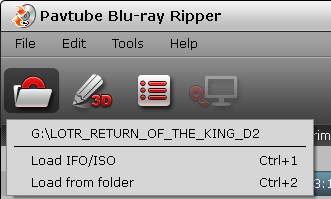
Load Disc: Load Blu-ray disc or DVD from optical drive. When both Blu-ray and DVD exists, the software will load DVD.
Load IFO/ISO: Load IFO or ISO image file.
Load from folder: Load Blu-ray or DVD movie from BDMV or VIDEO_TS folder.
Preview & Take Snapshots/Thumbnails
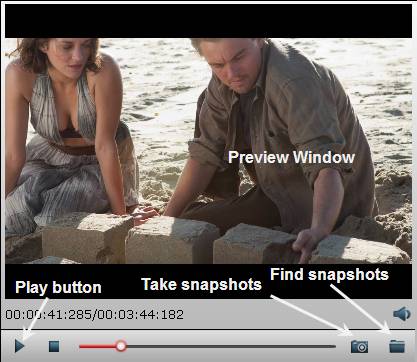
After importing, all video files in your Blu-ray or DVD will be listed in the program. You can preview the imported movie file by double clicking or checking one of them and click the play button under preview window.
By clicking the camera button under the preview window, you can take snapshot from the playing window as Thumbnail or for other use. By clicking the folder button, you can find the snapshots you took.
Set output format
Clicking the Format bar, you can choose output format from the format list or customize which formats to be shown on the list.
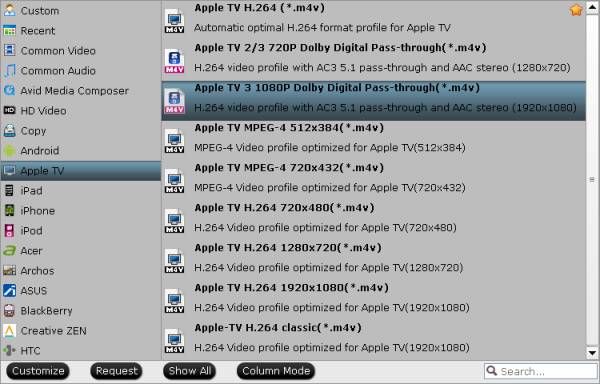
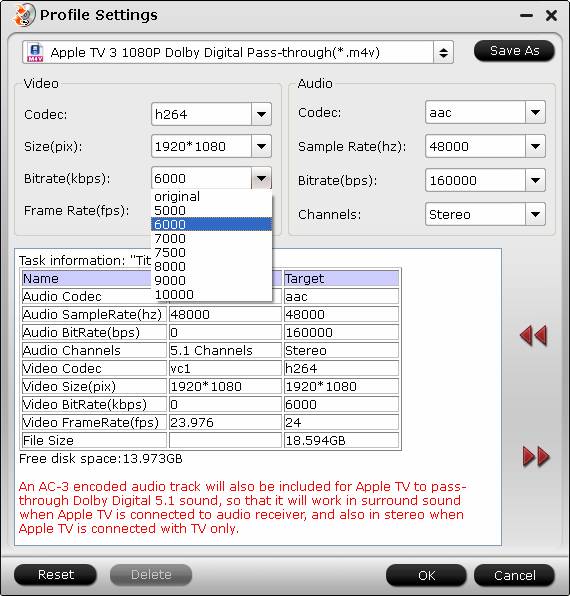
All formats here are set with optimized video/audio codecs, bitrates, frame rates, etc. But you can still specify as you like by clicking Settings button.
In the Profile Settings window, you can choose or specify exactly the parameters you like. And in the Task information section, you can compare the detailed information of the source video and the target video.
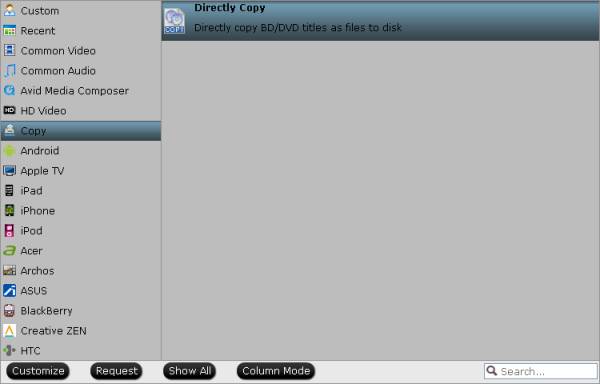
Directly Copy
By choosing Copy > Directly Copy, you are ale to copy the selected movie file in its original format without quality loss. When directly copy a DVD video, you will get .vob as output, and when directly copy a Blu-ray title, you will get .m2ts as output.
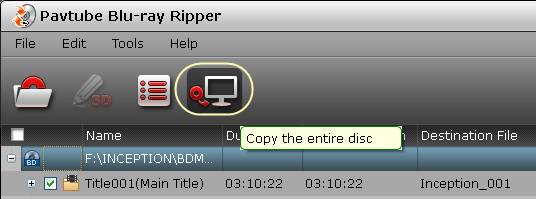
Kindly note: If you want to preserve the Blu-ray/DVD’s original file structure without changing anything, you needn’t set here, just use Copy the entire disc feature.
Merge, Split and select subtitles & audio track
Merge selected movie titles into one: By ticking the Merge into one file option behind Settings button, you can merge the ticked files in list into one single file.
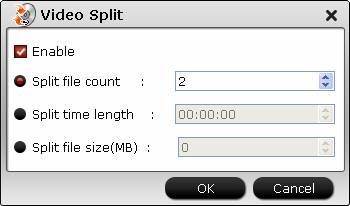
Split selected file into several small pieces: By clicking the Split button  on file list, or from Edit menu, you can launch the Video Split window. Ticking Enable to enable it, and then you can split the file by file count, time length, or file size.
Select desired subtitles stream and audio track
Check the movie titles you want to rip. Click the drop-down list of Subtitles, then all the subtitles info in the Blu-ray will be shown clearly, so you can select your needed language as your subtitles freely.
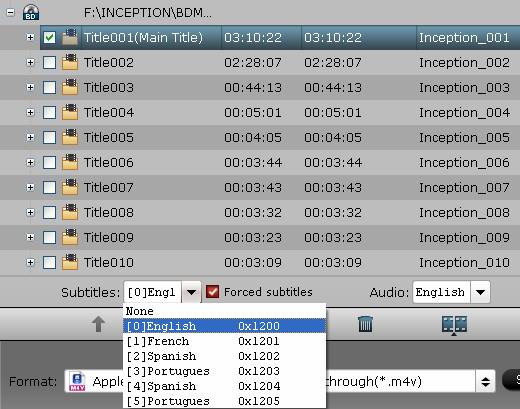
What’s more, Pavtube Blu-ray Ripper also offers an option called Forced subtitles, which enables you to see subtitles only when actors are speaking a different language. For instance, if you specify English (your mother tongue) as your subtitles, and meanwhile tick off “Forced subtitles” option, then when actors are speaking English, no subtitles will show up, but when they are talking with each other in French, the English subtitles will appear accompanying with the French.
To select your desired audio track, just click the pull down menu of “Audio”, and then the popup drop-down list will give you the detailed information of all audio tracks, including audio codec and language.

Choose Output Directory and Find the Output Folder
By clicking Browse button on main interface, you can choose the directory where you’d like to put the output files.
By clicking Open button, you can popup the output folder.

Edit Video
Pavtube Blu-ray Ripper is not only a Blu-ray and DVD Converter program, but also a simple and easy video editor.
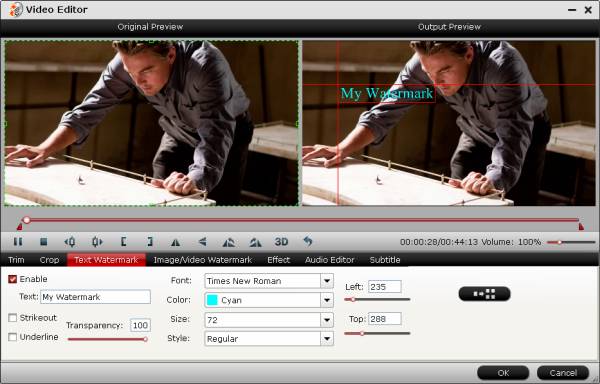
By default the Edit icon is grayed out . To activate the Edit menu, you have to select an item first. When a movie title or chapter is selected, you can click the Edit icon
  on the tool bar of main interface to edit selected file.
On the Editor Window, you can play and preview the original video and output effects. Also you can flip video, trim, add 3D effect, reset, and adjust volume.

In Video Editor there are seven edit tabs: Trim, Crop, Text Watermark, Image/Video Watermark, Effect, Audio Editor and Subtitle.

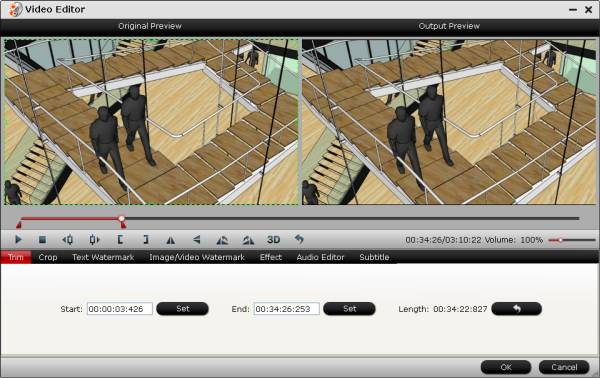
Trim: You can trim off unwanted parts from start and end. You can either drag pointers on the process bar or set exact time point in Start and End boxes to set.
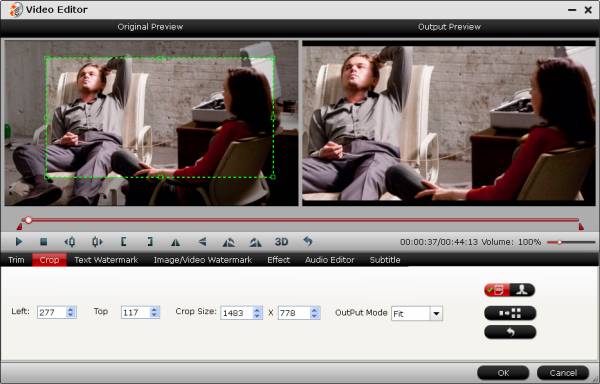
Crop: You can drag the edges on play window to specify or adjust parameters. You can also click the human button to switch to advanced mode. And then you can set display aspect ratio as well as output ratio and output mode.
Text Watermark: Check Enable, you can add text watermark to selected video clip. You can either set parameters or drag the text on preview screen to set its location.
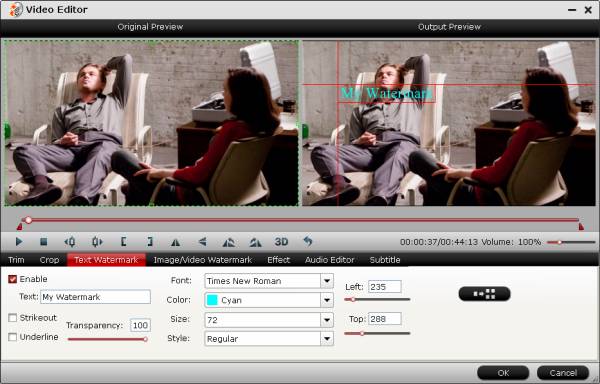
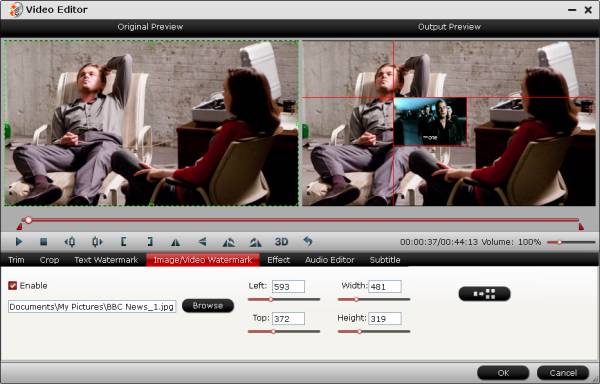
Image/Video Watermark: Check Enable, you can add images or videos as watermark onto selected video file. The location can also be set by dragging on the preview screen.
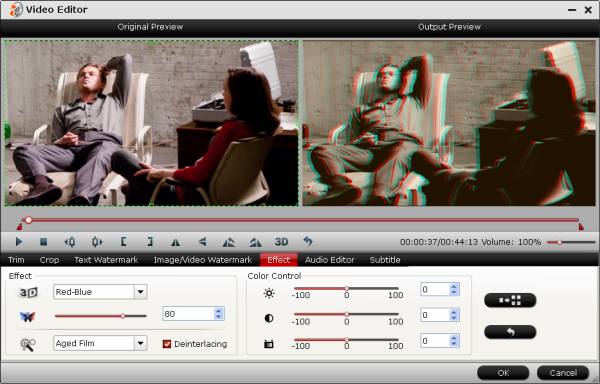
Effect: Under Effect tab, you can add 3D effect and other special effects like Simple Gauss Blur, Flip Color, Invert, Aged Film to your source video. In Color Control section, you can correct color by by adjusting brightness, contrast, and saturation. Deinterlacing is checked by default to keep good image quality.
Audio Editor: You can either replace/remove original audio, or set audio fade in/out effects.

Subtitle: In this tab, you can add *.srt or *.ass/*.ssa subtitle-files to the video as hard subtitles.

Start Conversion
Clicking the Convert button on main interface, you can go to Conversion window to start conversion.
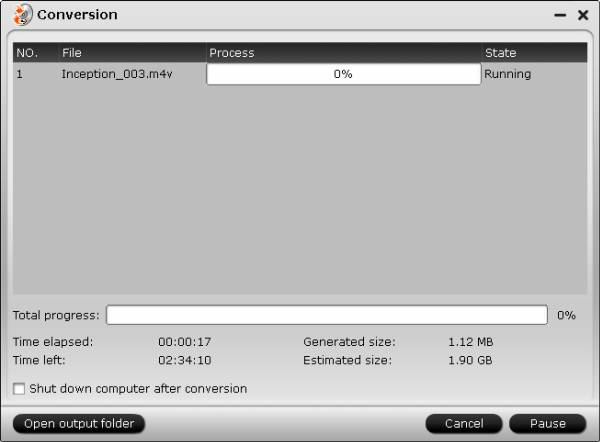
You can find conversion information on the window, such as Time elapsed, Time left, Generated size, and Estimated size.
Ticking off Shut down computer after conversion option, you can leave the program running and do other things instead of waiting around for the conversion.
After the conversion, you can click Open output folder to popup output directory with the converted files.
Note: If you are using a trial version, there will be Pavtube logo watermark in the middle of output files. To get rid of the logo watermark and get better performance, please click Help > Register > Order to buy full version.