Home » Products Center » Package Tools » Blu-ray Video Converter Ultimate

Blu-ray Video Converter Ultimate

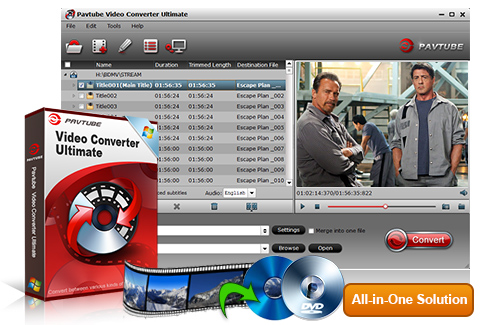
  • An all-in-one solution to fast rip Blu-ray/DVD, convert video to MKV/AVI/H.264…
  • Convert/rip/shrink/copy the latest releases of Blu-ray movies.
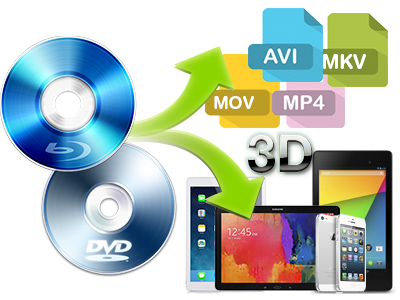
  • Rip Blu-ray 3D discs to 3D/2D video files like MP4, AVI, MKV, MOV, WMV, etc.
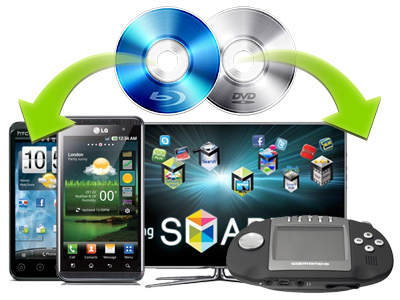
  • Convert/copy Video/DVD/Blu-ray to the new iPad 3, Apple TV 3, Xoom. Galaxy Tab, HTC One X, Asus Transformer Pad TF300... with pleasant quality.
  • Support NVIDIA CUDA and ATI Stream (AMD APP) acceleration technologies.
  • Rip blu-ray and DVD with your specified audio/subs tracks.
Version: 4.0.9
Supported OS: Windows XP/2003/Vista/Windows 7
Size: 18.7 MB
Price: $52$65
  • ByteCopy + Blu-ray Ultimate$107$80

    ByteCopy + Blu-ray UltimateThis bundle includes ByteCopy to backup BD/DVD with multiple audio/subtitles tracks preserved.
  • Convert your purchased movies

    ChewTuneConvert Blu-ray/DVD’s digital copy and videos purchased from iTunes, Amazon to any video format you want.

Overview

Pavtube Blu-Ray Video Converter Ultimate integrates a best bluray ripper, a DVD ripper,and a video converter together for you to rip Blu-ray discs, standard DVDs and convert almost all kinds of videos to universal video and audio file types with super fast conversion speed and excellent image and sound quality. The Blu-Ray Video Converter Ultimate provides numerous optimized formats for a wide range of devices and programs, including Apple TV/Apple TV 2/Apple TV 3, Xbox 360, PS3, Media Server , NAS , Home Theatre devices, WD TV, Popcorn Hour, PSP, iPod, iPhone 4, iPad/iPad 2/the new iPad, Dell Streak, Galaxy Tab, Xoom, Toshiba Thrive, Motorola Droid (X), Samaung Galaxy S, Samsung Infuse 4G, HTC Evo 4G, HTC Flyer, HTC Inspire 4G, Nokia N9, Archos 101/70/7/5, Adobe Premiere, Sony Vegas, etc., so you can enjoy or edit your favorite Blu-ray movies, DVDs and SD/HD videos at will.

Support input various file types
The Blu-Ray Video Converter Ultimate supports not only BDs and DVDs, but also a wide range of HD and SD Video files, like MTS, M2TS, TOD, MOD, MOV, WMV, MP4, TiVo, FLV, some MXF files, etc. The Blu-ray movies can be imported from Blu-ray Disc/Blu-ray Folder, and the DVDs can be loaded from DVD discs, DVD Folder, DVD IFO File, and DVD ISO Image File.

6X faster conversion speed
Pavtube Blu-ray Video Converter Ultimate takes full advantage of NVIDIA's CUDA technology and ATI Stream (AMD APP) technology to largely accelerate conversion speed. The GPU acceleration saves users lots of time when using H.264 codec to do format conversion. NOTE: To use GPU computing feature, a CUDA-compatible NVIDIA graphics card or an AMD graphics card with AMD APP technology must be installed. The CUDA and AMD APP acceleration both work only when creating H.264 encoded video files.

Split selected video file
Using the Split function, you can split the selected video file into required video clips by specifying the clip quantity, duration time and file size.

Support almost all popular media players/devices
Rip/backup/copy Blu-ray/DVD/videos for playback on Apple TV/Apple TV 2/Apple TV 3, Xbox 360, PS3, WD TV, Popcorn Hour, PSP, iPod, iPhone 4, iPad, Dell Streak, Galaxy Tab, Blackberry, Nokia N8, Nokia E7, Nokia C7, Motorola Droid X, Samaung Galaxy S(Samsung Vibrant/Fascinate/Epic 4G/Captivate), Samsung Infuse 4G, HTC Evo 4G, HTC Flyer, HTC Inspire 4G, Creative Zen, Sony Walkman, Archos 101/70/7/5, etc.

More Fearures

Integrated BD ripper, DVD Ripper and video Converter
You can use the Blu-Ray Video Converter Ultimate as a Blu-ray disc Ripper, a DVD Ripper, as well as a Video Converter.

Excellent output quality
This program produces the best image and sound quality without causing you any audio and video out of sync issues.

Powerful editing functions
Users can edit the DVD video, Blu-ray video and other video by trimming certain video clips, cropping black bars, adding watermarks, choosing special effects, specifying aspect ratio, and more.

Merge Blu-ray video and other videos into one file
By ticking off the checkbox "Merge into one file", you can merge multiple video files, including Blu-ray and DVD movie files into a single file.

Make 1:1 Blu-ray/DVD copy
You are able to make 1:1 Blu-ray/DVD copy by usng Full Disc Copy function without losing the original contents and quality.

  • Operating System: Windows XP/2003/Vista/Windows 7
  • DirectX Version: 9.0 or above
  • Memory: 64MB at least
  • Processor: 500MHz Intel or 500MHz AMD CPU
  • Hard Disc Space: 512MB or above
  • Optical Drive: DVD drive(BD drive is required for ripping blu-ray disc)
  • Input

    3D Blu-ray Discs, 2D Blu-ray Discs, Blu-ray Folder, Blu-ray ISO Image File

    DVDs, DVD Folder, DVD IFO File, DVD ISO Image File

    Video files:
    (*.ts, *.mts, *.m2ts, *.tp, *.trp, *.mov, *.mod, *.tod, *.mxf (partial), *.dv, *.vob, *.m2v, *.tivo *.avi,*.divx, *.mpg, *.mp4, *.m4v, *.mov, *.qt, *.wmv, *.asf, *.3gp, *.3g2, *.rm, *.rmvb, *.dat *.mkv, *.nut, *.nsv, *.flv, *.f4v, *.h.264)

    Audio files:
    (*.m4a, *.wma, *.wav, *.mp3, *.mp2, *.au, *.flac, *.mka, *.aac, *.ac3, *.ogg, *.aiff, *.ra, *.ram, *.dts)

    Output

    Common video formats:
    (*.avi, *.wmv, *.asf, *.mpg, *.mp4, *.3gp, *.3g2, *.mov, *.mkv, *.m4v, *.vob, *.dv)

    HD video formats:
    (*.mp4, *.mov, *.mpg, *.ts, *.mkv, *.wmv, *.avi)

    Lossless video stream:
    (*.vob , *.mpg, *.ts *.m2ts from DVDs, TiVo shows and blu-ray discs)

    Output Devices Supported:
    Apple products: Apple TV 3, iPad, iPod, iPod nano, iPod classic, iPod touch 4, iPhone, iPhone 3G, iPhone 4
    Game consoles and media players: PS3, Xbox 360, Wii, WD TV Media player, Seagate Media Player, etc.
    Android tablet PC/smartphones: Samsung Galaxy Tab, HTC Evo 4G, Motorola Droid X, Samsung Galaxy S(Vibrant/Epic 4G/Fascinate/Mesmerize...)
    General MP4 players:PSP, Archos, Creative Zen, iRiver, etc.
    Windows Phone 7 phones: Samsung Focus, HTC Surround, LG Quantum, HTC HD 7, etc.
    Other popular cell phones: Nokia N8/C7/E7, Blackberry, etc.

    Flash video:
    (*.flv, *.f4v, *.swf)

    Audio:
    iTunes supported audio formats(*.mp3, *.m4a, *.aac, *.flac ), iPhone Ringtone audio (*.m4r), Matroska Audio(*.mka), Ogg Vorbis Audio (*.ogg), Windows Media Audio (*.wma, *.wav), Dolby Digital 5.1 audio (*.ac3), DTS (*.dts remux)

    Note: Blu-ray Video Converter Ultimate does not support ISO output.

    Craig

    Movies look great on the Xoom

    Quality is GREAT! These movies look great on the Xoom, and even on my 25 inch PC monitor. Quality was on average better than some of your competitors, although, some of that may come down to settings (that is where a Xoom profile would help other customers).Interface is pretty straightforward. Besides the custom settings, I didn’t need any help figuring out how to work this. Then again, you do have the no brainer instructions on the app. But I’ll pretend those weren’t important and I am a rocket scientist.The follow up email was a very nice customer service follow-up. This seemed very personal and very sincere. I’[m sure you send this to all of your customers but it is nicely written and comes across very personal and not at all corporate. Nice touch.

    5, May, 2011
    Joe

    Back up BR collection to stream to Xbox

    Thanks....i already purchased the ultimate version.....this is the perfect software to back up my BR collection to stream to my Xbox.Everything is perfect! Thanks...

    21, Apr, 2011
    V K

    All-in-one

    I love y'all's software because it's all-in-one, while using other software means I have to do 5 different steps in 5 different programs to get the same result. I usually select mp4 as my output format. I use the Samsung Vibrant as my player, and I am using its default video player.

    27, Nov, 2010
    Robert

    I am very happy with Pavtube software and support

    I am very happy with Pavtube software and support. I have had no problems since the first one that I reported that you quickly fixed.

    Your Blu-Ray Ripper worked so well that I purchased your Pavtube Blu-ray Video Converter Ultimate to convert and crop my other video files.

    I recommend Pavtube to all of my friends and my two sons as well - they both asked me to give them a copy, and I told them that the price is fair, and if they want a copy, buy it themselves. My older son gave me a freeware copy of a Blu-Ray ripper, and told me to check it out. The "Freeware" was worth exactly what it costs - NOTHING! It was so slow (less than half the speed of Pavtube), and crashed my computer halfway through the conversion.

    Before I bought Pavtube, I purchased a number of different conversion software packages. All had one problem or another - usually not converting a particular format, so I had to use more than one conversion package to cover all the conversions I needed. One package in particular that I liked, AVS4YOU (advertised with FREE LIFETIME UPGRADES!) that corrected its conversion problems with an upgrade, I found that I could not transfer the software to my very, very fast new computer that I bought specifically for video processing. They demanded that I buy another copy - my existing copy would not install on a new computer. That is why I bought Pavtube Blu-ray Video Converter Ultimate - I bought a fast new computer primarily for video editing and conversions and found that I was locked out of all of my "Lifetime" AVS software unless I paid again.

    I am very satisfied with your software and technical support, and I highly recommend it. Also, the price is fair. Please feel free to use any of my comments if you like.

    Oct. 22, 2010

    Bruce

    Blu-ray movie of original quality at half file size

    your software ROCKS! My primary interest was to reduce the size of my on-line copies of BluRay disks by converting the .iso copy to H.264 .mp4’s. I was very pleased with Hauppauge .ts copies of Dish Network pay per view HD movies that finished up around 7 to 9 GB. So I tried your medium quality Bitrate settings. Unfortunately the playback was slightly jittery at this setting, so I reverted to high quality which played nearly identical to the BluRay disk. Happy camper. Avatar reduced in size a little over 50% and the playback is undistinguishable from the original.

    1, September, 2010
    Scott

    Rip blu-ray movie with forced Subtitles

    You’re making me a believer in Pavtube. Last night I tried the Avatar Blu-ray disk. This time to it worked in title mode and I didn’t switch to file mode. I checked only the English forced subtitles, and magically the video only had the subtitles when the Navi were speaking, very cool, and something I couldn’t get to work with the other software.

    26, August, 2010
    Rabbi

    A proven great product

    I would like to give you feedback on your product. It has great potential. What made me pick your software over many many others? The review in PC World. It received a very nice review. So I figured, why not go with a proven product. I am able to rip a DVD and process its contents for my Powerpoint Presentations which is why I bought the program. I have found it pretty easy to use. The quality of the video is excellent, I am very pleased with that. The output format is also quite intuitive and easy to use. It is great that you have so many output options built in to the software. 23, June,2010

    Robert

    Convert and compress blu-rays into various formats

    I'm pretty happy with the conversion qualities. I believe it took me a couple of tries before Pavtube came up, but with a lot of good reviews, I feel that your product shows up with a simple "top bluray rippers" search. I specifically wanted something to rip and convert blurays into various file formats and compressions for different electronics. Really, Pavtube was the only one that I found suitable for my needs. I have no complaints about it. It's pretty easy for me to select different settings. 24,June, 2010

    Steffan

    Fast and easy to use

    The product is very easy to use and it's the first product I have found that actually rips Blu-Ray discs to my iPod without any extra software and without taking all day. I'm pleasantly surprised at how fast the program is. Very pleased with the speed and the movies look great on my computer and iPod. 3, March, 2010

    Norman

    Works great and satisfy your needs

    I have downloaded the updated version per the instructions. All seems to be working fine now. I found your software through a search engine (MSN) and compared it to 3 others with the trial versions prior to selecting Pavetube to buy. Overall, I am satisfied with the product. 12, March, 2010

    Q: How to update Pavtube Software?

    A: Please click here to see the detailed steps.

    Q: I have ever purchased your Windows software and now I changed my PC to Mac.
    Can I install this software onto my Mac? Or can you send me a Mac version?

    A: All of our softwares are platform-independent ones but not cross-platform. So a Windows software cannot be installed onto a Mac computer and vice versa.
    If you need a Mac version, please kindly contact with Pavtube support team at macsupport@pavtube.com.
    Or if you need a Windows version, please kindly contact with Pavtube support team at support@pavtube.com.
    Discount will be available for a second purchase.

    Q:I want to use your Pavtube to rip my blu-ray disc, but I have no external blu-ray drive.
    Can you recommend me an external blu-ray drive for Mac or Windows?

    A: Yes. We would like to recommend you several Mac or Windows compatible external blu-ray drives available from Amazon.
    For Mac external blu-ray drive recommendation please see here.
    For Windows external blu-ray drive recommendation please see here.

    Q: What are the differences between the trial version and the retail version?

    A: A trail version converts videos with watermark (the logo of Pavtube) on the screen and asks if you would like to purchase at each run while a retail version allows you to use freely without putting on watermark. As a customer of Pavtube, you will be reminded to update the software whenever a new version is released. The update is free of charge for lifetime. Besides, your emails will be attended at the first time, your advice and requirements will be much valued when we upgrade the software.

    Q: My videos were recorded by my HD camcorder, there are many stripes and noises on the picture after conversion, why should this happen?

    A: Some footages are taken under interlacing mode, and this lead to stripes and lines on the screen. To eliminate the lines, you may follow ‘Edit’ menu-> ‘Effect’ tab and check ‘Deinterlacing’ box before conversion. As to the noise, when you apply the special effect mode “Simple Gauss Blur” from the drop-down list, the noise will be reduced greatly.

    Q: My widescreen movies (16x9) aren't staying widescreen after conversion. I don't want the video to be stretched and made taller. What can I do?

    A: Simply click ‘Settings’ button and set the Video Size to sizes by ratio of 16*9 (eg. 1920*1080, 1280*720, 960*540) before converting the movie.

    Q: How to play the ripped Blu-ray M2TS files after I choose “Directly Copy” format and get M2TS file?

    A: VLC player and KMplayer can play M2TS file.

    Q: Can I copy the whole DVD into a Video_TS folder? Which profile should I choose?

    A: One click on the Disk Copy button is all you need to copy the DVD into standard Video_TS folder. The entire content on the DVD will be copied to your hard drive in the shortest time with this option.

    Q: I am trying to backup my blu-ray disc to hard drive. What format should I choose to maintain best quality?

    A: You are suggested to try Disk Copy button. It enables you to back up the disc bit-to-bit with shortest time and flawless quality.

    Q: Does the software handle HD Audio such as DTS MA, or Dolby True HD Dolby? Is there any way to create TrueHD and DTS MA?

    A: Our product just allows you to import the true HD and DTS MA audio, but outputs up to AAC/ AC3 5.1 Channels surround sound only.

    Q: I have just downloaded the new update for the software, do I need to uninstall my older version prior installing the new one or I just install the new application on top of the old one. Please advice.

    A: You are encouraged to uninstall the older version in the first place. However, you might also install the new update on top of the older version.

    Q: I have purchased the software but it won't take the code I have. What should I do?

    A: Please remove the trial version and then download the retail version from your registration download link. Install the retail version, copy and paste your registration code to the register field. Notice that you should not leave any space before the code.

    Q: How can I set the output file name?

    A: Please find the column named ‘Destination File’ on file list. Double click the output name and then you can type in desired output file name.

    Q: I’d like to eliminate black bars (edges) from the movie, what should I do?

    A: Click ‘Edit’ button to enter into the edit panel and switch to the Crop tab, then just drag the dashed frame on the video screen of the original preview window to cut off the unwanted parts to get the right aspect ratio you need.

    Q: A disk I was testing had over 100 files in the folder and it was a pain to just select the two files I wanted. Is there any way for me to uncheck all the files that are pre-selected?

    A: Right-click on file list area to select “Check all” and “Uncheck all”.

    Q: I am trying to capture a still picture from a video clip to use as a song background. Is it possible?

    A: Yes. You can double-click the file and preview it with the app, under the preview window there is a ‘Snapshoot’ button. Click the button when it plays to the frame you would like to capture. And you can locate the thumbnails by clicking the ‘Open’ button next to ‘Snapshoot’ button.

    • 4.0.9

      Apr 27, 2012

      - New presets for Apple TV Dolby Digital 5.1 audio pass-through.
      - Optimization to split operation and effect setting.
      - Now support 2D to 3D conversion by setting 3D effect in Video Editor panel.

    • 4.0.8

      Apr 19, 2012

      - Now loads MXF files by directory/in batch.

      - Renamed Audio Replace to Audio Editor, and include more functions.

      - Improved output video quality for Apple TV 3.

      - Added presets for these devices: HTC One X, Dell Streak 5/7/10, LG Optimus Vu, Pantech Element, Eden Tab, ASUS Padfone, Toshiba Excite X10, Archos 80 G9 Tablet, Archos 101 G9, and Nokia Lumia 900.

      - Corrected calculation method to show more accurate estimate output file size.

    • 4.0.7

      Mar 27, 2012

      - Added optimized 1080p MP4 format to support the 3rd generation Apple TV.
      - Added customized preset for Sony PS Vita.
      - Modified user interface language.
      - Made some minor adjustment to the profiles of Archos 101 Internet Tablet, iPad 3 and Avid DNxHD.

    • 4.0.6

      Mar 19, 2012

      - Introduced German as an optional user interface language.
      - Added Split feature.
      - Added format templates to support iPad 3, Asus Transformer Prime, etc.
      - Added support to 3D Blu-ray discs (Blu-ray 3D to 2D).
      - Improved H.264 video conversion speed with multi-threaded encoding.  
      - A fix to Full Disc Copy with Blu-ray ISO files.

    • 4.0.5

      Mar 05, 2012

      - Now supports AMD’s ATI Stream Technology that accelerates video processing.
      - A fix to full disc copy of DVD ISO and IFO.
      - Added Customize Profile to Tools menu.
      - Fixed out of sync issue with Sony HDR TG1 .mts files
      - A fix to improper processing with the following Blu-ray Discs: Avatar, Rise Rise of the Planet of the Apes, Transformers: Dark of the Moon, Sleepy hollow, Bride Wars, and West Side Story.

    • 4.0.4

      Jan 12, 2012

      - Add Short-cut Key for trim editing,"Space" key for play and pause,"[" key for trim start and "]" key for trim end.
      - More stable in audio conversion and audio trimming.
      - Fixed the default output path problem for videos with minor language in name.
      - Refined user interface appearance and fixed misspelling.

    • 4.0.3

      Dec 22, 2011

      - A redesigned GUI (Graphical User Interface).
      - Added support to movie with minor languages in name.
      - Increased program stability.
      - Fixed some bugs.

    • 4.0.2

      Nov 22, 2011

      - Added AVI AC3 5.1 format for PS3 streaming.
      - Added 16:9, 4:3 and 16:10 aspect ratio options to Crop feature.
      - Fixed some bugs.

    • 4.0.1

      Oct 24, 2011

      - Added support to export webm format.

      - Further improved analyzing to DVD movie structure.

      - Optimized preview function.

      - Fix some bugs.

    • v4.0.0

      Sep 27, 2011

      - Fixed some bugs. 

    What's next?

    Price: $52$65