-
Audio and video sync technology
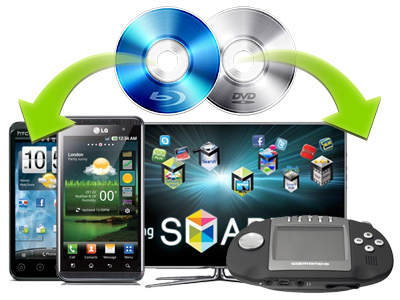
Its advanced audio and video sync technology will let you enjoy DVD on PSP without any audio and video issues.
-
Faster conversion speed
The program optimized its conversion speed with multi-thread technology, so that you can convert the DVD 1.5 or 2 times faster than other similar programs.
-
Real-time preview
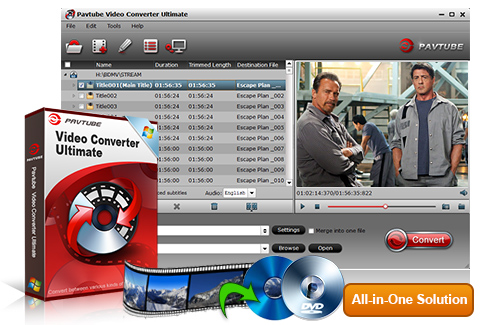
You can have a real-time previewing on the right window of the main interface before conversion.
-
Trim and crop DVD/Video
Trim function allows you to get specific video duration, just drag the process bar to the trim points. Meanwhile, with crop function, you can cut off the black edges and unwanted area of the video easily.
-
Various watermarks editing
The program supports to add different watermarks to your video like text watermark, image (including GIF) watermark, and video watermark. Its video watermark function will create a Picture-in-picture effect to your video.
-
Built-in codec
Its built-in codec will not install codec to your computer, so as to avoid the unexpected codec problem.
-
Support importing blu-ray discs, DVDs and videos into the same window.
You can add videos and load Blu-ray discs into the same window and at the same time.
-
Merge Blu-ray videos and other videos into one file.
If you need to merge Blu-ray movies and other videos into one file, just click "Merge into one file" option.
- Operating System: Windows 2000/XP/2003/Vista/Windows 7
- DirectX Version: 9.0 or above
- Memory: 64MB at least
- Processor: Intel Pentium Ⅲ processor at 500 MHz
- Hard Disc Space: 512MB or above
- Optical Drive: DVD-ROM (BD-ROM is required for ripping blu-ray disc)
Input |
DVD, blu-ray discs, Video formats (*.avi,*.divx, *.wmv, *.wma, *.asf, *.dvr-ms, *.wav, dts in wav, *.rm, *.rmvb, *.ra, *.mov, *.qt, *.mp4, *.3gp, *.3g2, *.dv, *.m4b, *.m4v, *.m4a, *.aac, *.flv, *.f4v (YouTube, Hulu, Fox, etc.), *.dat, *.mpg, *.vob, *.mod from JVC, Panasonic, Cannon,*.m2v, *.tod (JVC), *.m2t, *.m2ts (Blu-ray), *.ts, *.tp, *.evo, *.mkv, *.dv); |
|
Audio formats (*.au, *.mp3, *.mp2, *.flac, *.ape, *.ogg, *.8svx, *.aiff,*.aif, *.caf, *.dts, *.smv, *.tta, *.voc) |
||
Image formats (*.jpg, *.ico, *.bmp, *.png, *.gif, *.tiff) |
||
Others (*.flc, *.fli, *.mxf, *.gxf, *.pss, *.mvi, *.mtv, *.vdr, *.pmf, *.pva, *.k3g, *.vp6, *.nsv, *.nuv, *.dmskm) |
||
output |
Video |
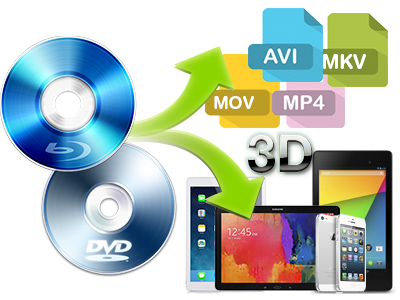
MP4 (supported by PSP), MOV (QuickTime ), M4V (MPEG-4 Video), AVI, FLV (Youtube Video), WMV( Windows Media Video) |
Audio |
MP3(MPEG Layer-3 Audio), FLAC(Free Lossless Audio Codec), MKA (Matroska Audio), OGG (Ogg Vorbis Audio), WAV (Waveform Audio),AC3 ( Dolby Digital AC-3), M4A (MPEG-4 Audio), |
|
![]() |
Meet your high expectationIt is easy to use for editing and conversion and makes great quality copies of my DVDs. I really like that I can turn up the volume on my DVDs. It is a great feature! I also like that it gives me a lot of options when choosing how to copy and convert my DVDs. I tried some other DVD software and researched others and this seems to be the best! I am glad that I bought this software! 2010.3.11 |
![]() |
Fast and easy to useThe software works very well and I find that the speed of the conversion is good. I am not having any problems with the software at the present time. I cannot think of any improvements that need to be made at the present time. 2009.7.17 |
![]() |
Works great and satisfy your needsI have downloaded the updated version per the instructions. All seems to be working fine now. I found your software through a search engine (MSN) and compared it to 3 others with the trial versions prior to selecting Pavetube to buy. Overall, I am satisfied with the product. 2009.3.12 |
- Q: What are the differences between the trial version and the retail version?
A: A trail version converts videos with watermark (the logo of Pavtube) on the screen and asks if you would like to purchase at each run while a retail version allows you to use freely without putting on watermark. As a customer of Pavtube, you will be reminded to update the software whenever a new version is released. The update is free of charge for lifetime. Besides, your emails will be attended at the first time, your advice and requirements will be much valued when we upgrade the software.
- Q: My videos were recorded by my HD camcorder, there are many stripes and noises on the picture after conversion, why should this happen?
A: Some footages are taken under interlacing mode, and this lead to stripes and lines on the screen. To eliminate the lines, you may follow ‘Edit’ menu-> ‘Effect’ tab and check ‘Deinterlacing’ box before conversion. As to the noise, when you apply the special effect mode “Simple Gauss Blur” from the drop-down list, the noise will be reduced greatly.
- Q: My widescreen movies (16x9) aren't staying widescreen after conversion. I don't want the video to be stretched and made taller. What can I do?
A: Simply click ‘Settings’ button and set the Video Size to sizes by ratio of 16*9 (eg. 1920*1080, 1280*720, 960*540) before converting the movie.
- Q: Does the software handle HD Audio such as DTS MA, or Dolby True HD Dolby? Is there any way to create TrueHD and DTS MA?
A: Our product just allows you to import the true HD and DTS MA audio, but outputs up to AAC/ AC3 5.1 Channels surround sound only.
- Q: I have just downloaded the new update for the software, do I need to uninstall my older version prior installing the new one or I just install the new application on top of the old one. Please advice.
A: You are encouraged to uninstall the older version in the first place. However, you might also install the new update on top of the older version.
- Q: I have purchased the software but it won't take the code I have. What should I do?
A: Please remove the trial version and then download the retail version from your registration download link. Install the retail version, copy and paste your registration code to the register field. Notice that you should not leave any space before the code.
- Q: How can I set the output file name?
A: Please find the column named ‘Destination File’ on file list. Double click the output name and then you can type in desired output file name.
- Q: I’d like to eliminate black bars (edges) from the movie, what should I do?
A: Click ‘Edit’ button to enter into the edit panel and switch to the Crop tab, then just drag the dashed frame on the video screen of the original preview window to cut off the unwanted parts to get the right aspect ratio you need.
- Q: A disk I was testing had over 100 files in the folder and it was a pain to just select the two files I wanted. Is there any way for me to uncheck all the files that are pre-selected?
A: Right-click on file list area to select “Check all” and “Uncheck all”.
- Q: I am trying to capture a still picture from a video clip to use as a song background. Is it possible?
A: Yes. You can double-click the file and preview it with the app, under the preview window there is a ‘Snapshoot’ button. Click the button when it plays to the frame you would like to capture. And you can locate the thumbnails by clicking the ‘Open’ button next to ‘Snapshoot’ button.
-
Date: July 19, 2010 (v 3.4)
- Added Force Subtitle option for blu-ray and DVD ripping.
- Refined the interface design of Profile Manager.
- Fixed for crash issue and some other bugs.
- Now identifies interlaced videos and applies deinterlacing facility to these videos by default.
-
Date: Jun 28, 2010 (v3.4)
- Added Full Disk Copy option for back up of DVD and blu-ray disc.
- Title Mode is added as alternative for arranging blu-ray titles.
- Refined GUI to be more user-friendly.
- Added check/ uncheck all option.
- Fixed some bugs.
-
Date: May 27, 2010 (v3.4)
- Added full support to the latest blu-ray movies (e.g. Avatar).
- Added searching option and customer review box in Profile Manager.
-
Date: May 5, 2010 (v3.4)
- Fixed for the out of sync issue when merging multiple trimmed files together.
- Improved the GUI to be more user-friendly.
-
Date: Mar 17, 2010 (v3.4)
- Upgraded the Profile Manger, and improved the profile list to be more friendly, intuitive, and flexible. The software will memorize the profile settings and apply it when it is updated to the later version.
- Added support to iPad, including three more optimized formats.
- Added scale value to Brightness, Contrast and Saturation facility contained in Effect tab.
-
Date: Mar 4, 2010 (v3.4)
- Added support to identify detailed information of audio streams, including languages, codecs, stream ids and channels.
- Added subtitle support to Blu-ray disc, which enables users to select subtitle for converted files.
- Optimized the profile option and allows users to customize their own profile lists. The HD video profiles are more flexible now and Apple TV and Xbox 360 users will find better format configurations for their devices.
- Upgraded to support wider range of Blu-ray discs and fixed for fuzzy images.
- Added TiVo support, users will be able to convert TiVo files without TiVo Desktop.
-
Date: Dec 31, 2009 (v3.3)
- Further optimized the performance of audio video synchronization.
- Added support for Dolby TrueHD audio codec.
-
Date: Dec 11,2009 ( v3.3 )
- Add output format *.DV and special output profile for converting to Nintento Wii.
- Fixed for the error that comes up when converts a successive DVD.